


Remote hiring is now the default first step for most tech companies, which means your remote interview performance depends on more than your algorithms. Audio dropouts, a cluttered background, or a shaky screen share can quietly cost you points before you write a single line of code. This guide covers a practical, repeatable system for acing a virtual technical interview in 2026.

Why Remote Interviews Are Different
In an on-site loop, the interviewer reads your body language, sees your whiteboard, and shares the room with you. Remotely, everything is mediated by a camera, a microphone and a shared editor. Interviewers still evaluate the same signals: problem solving, communication, and collaboration. But the channel is narrower, so you have to be more deliberate about making your thinking visible.
Three things change the most:
- Silence feels longer. A 20-second pause on-site reads as thinking; on video it can read as a frozen connection.
- Context is harder to share. You can’t point at a diagram, so you must narrate and annotate.
- Tooling is part of the test. Fluency in a shared editor or online IDE shows professionalism.
Step 1: Build a Reliable Technical Setup
Hardware and Network
Do a full dry run at least a day before. Use a wired connection if you can, and keep a phone hotspot as a backup. Wear headphones with a decent microphone; echo from laptop speakers is the most common complaint interviewers raise. Close heavy apps, disable notifications, and plug in your laptop.
Software Checklist
- Install the meeting app the recruiter named and update it a day early.
- Test screen sharing, including sharing a single window rather than the whole desktop.
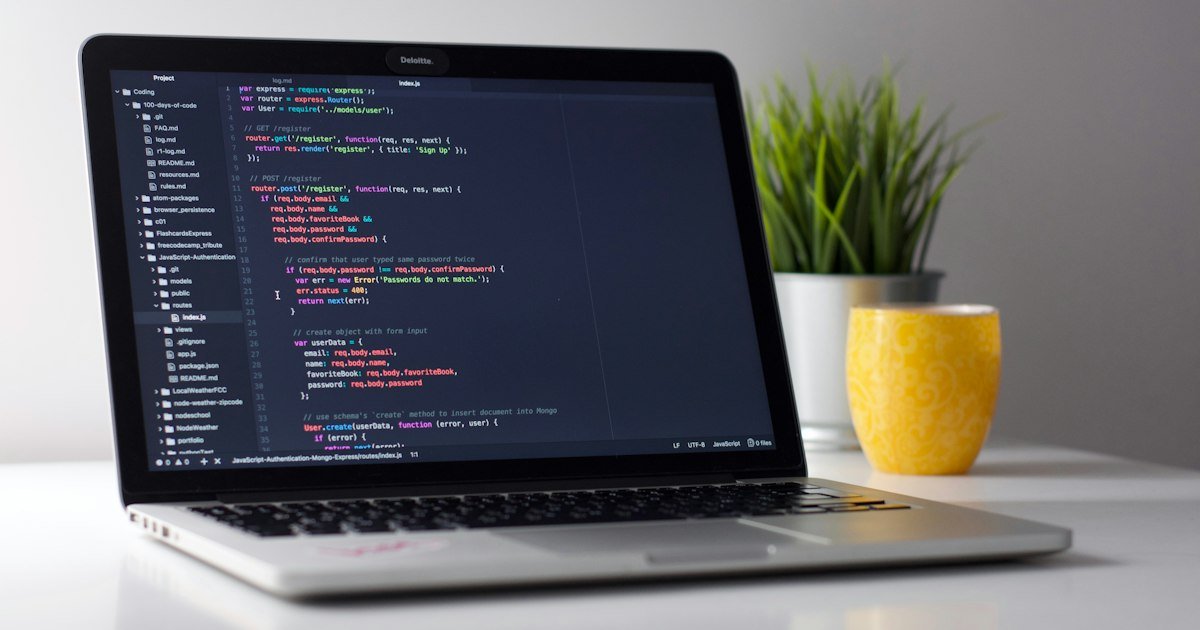
- Prepare your editor or IDE with a large font, a dark or high-contrast theme, and distractions removed.
- Know how to run code, view output and use basic debugging in the platform they will use.
Step 2: Control Your Environment

Choose a quiet room with light in front of you, not behind. Place the camera at eye level and keep the background simple. Tell the people you live with when the interview starts. Keep water, a notepad and a pen within reach, and put a one-page cheat sheet of your resume highlights where you can glance at it.
Looking at the camera when you explain key ideas creates a sense of eye contact. When you read the problem or code, it is fine to look at the screen. Just narrate what you are doing so the interviewer isn’t guessing.
Step 3: Communicate Out Loud in the Coding Round
The single biggest upgrade you can make is to think aloud in a structured way. A simple framework works well for any algorithm question:
- Restate the problem in your own words and confirm input and output formats.
- Clarify constraints: input size, duplicates, negative values, memory limits.
- Walk through an example and a tricky edge case.
- Propose a brute-force approach and state its complexity.
- Optimize by naming the pattern or data structure that removes the bottleneck.
- Code in small, readable chunks while narrating intent.
- Test with your example and at least one edge case, then state the final time and space complexity.
If you go quiet to think, say so: “I’m going to take about thirty seconds to consider two approaches.” That one sentence removes the awkwardness and shows control.
Step 4: Handle Remote System Design and Behavioral Rounds
For design rounds, use the shared whiteboard or a simple diagram tool. Draw boxes for clients, services, data stores and queues first, then drill into one component at a time. Narrate every arrow you draw: what flows across it and why. Practice drawing with a mouse or trackpad beforehand, because it is slower than a marker.
For behavioral questions, keep answers under two minutes and end with a concrete result. Because the interviewer cannot nod along naturally, pause briefly at the end of a point and check in with a question such as “Would you like more detail on the trade-offs?”
Step 5: Recover Gracefully From Problems
Things will go wrong: your connection will lag, your editor will crash, or a dog will bark. Interviewers care about how you react. If audio drops, say you will rejoin or switch to your phone hotspot, and confirm where you left off. If you get stuck on code, explain what you expected, what happened and your next debugging step. Staying calm and methodical is itself a strong hiring signal.
Step 6: Practice Under Realistic Conditions
Most candidates practice by solving problems silently in a notebook. Instead, simulate the real thing: set a 45-minute timer, share your screen with a friend or record yourself, and talk through each problem. Reviewing the recording shows filler words, long silences and unclear explanations that you would never notice otherwise. Aim for three to five full mock sessions in the final two weeks, rotating between algorithms, a design problem and a behavioral round.
Day-of-Interview Checklist
- Join five minutes early with camera and audio already tested.
- Have a charger, water, notepad and your resume nearby.
- Close all unrelated tabs and mute notifications on every device.
- Keep the problem statement visible and re-read it before coding.
- Send a short thank-you message to the recruiter afterward.
Key Takeaways
A remote interview rewards preparation and clear communication as much as raw skill. Test your setup early, keep your environment simple, narrate your reasoning with a repeatable structure, and rehearse in conditions that match the real thing. Do this consistently and the medium stops being an obstacle and starts working in your favor.
Start Preparing Today
Pick one habit from this guide and apply it in your next practice session, whether that is a full dry run of your setup or recording a mock coding round. For more structured practice, explore Niraswa AI and keep building the routine that gets you to the offer stage.